Housecall Pro vs Jobber (2026): An Honest Comparison
Housecall Pro and Jobber do the same core job: schedule the work, invoice it, take the card. The difference is where each one puts its muscle. Jobber wins on quoting and entry price; Housecall Pro wins on marketing and reviews. Financing isn’t the tiebreaker most comparisons claim, because both run it through the same lender. And both show their prices publicly now, Jobber from $29/mo and Housecall Pro from $59/mo (billed annually), so this comes down to fit, not mystery.
We went through both platforms’ current pricing, features, and real user ratings so you don’t have to sit through five sales demos. There’s a real answer at the bottom, not “they’re both great, good luck out there.”
Go with Jobber if you quote a lot of work and want the lower entry price. It's the right call for most growing service businesses. Pick Housecall Pro if marketing and review generation are what move the needle for you.
Both are genuinely good, and you’re not going to ruin your business with either one. But “good for most people” and “good for you” aren’t the same thing.
The 30-second version
Jobber is your pick if…
You like knowing the number before a salesperson calls, quoting is a big part of your day, and you're adding staff. It just gets out of your way.
Housecall Pro is your pick if…
You want marketing and review requests handled for you, you like knowing the financing terms up front, and a big pro community sounds useful.
Pricing, seat by seat
Both publish their prices now. Housecall Pro used to hide them behind a quiz; that changed.
Jobber:
| Plan | Billed monthly | Billed annually | Users included |
|---|---|---|---|
| Core | $49/mo | $29/mo | 1 |
| Connect | $139/mo | $99/mo | 1 · 5 users $149/mo · 10 users $229/mo · 15 users $299/mo (annual) |
| Grow | $199/mo | $149/mo | 1 · 5 users $229/mo · 10 users $299/mo · 15 users $399/mo (annual) |
| Plus | $499/mo | $399/mo | 5 · 10 users $449/mo · 15 users $529/mo (annual) · sales-led |
Extra seats are $29/mo each, and the 14-day trial runs on the fully-loaded Grow plan with no card required. My honest take: most solo operators start on Core, and most small teams land on Connect or Grow. Don’t overbuy on day one. (Prices as listed on getjobber.com; always double-check current numbers.)
Housecall Pro lists sticker prices too. Basic $59/mo, Essentials $149/mo, MAX $299/mo, billed annually; monthly billing runs $20–40 more. But the seat counts are the part that matters and almost nobody quotes: Basic includes 1 user, Essentials 5, and MAX 8, and extra seats are $100/mo each on Essentials and $75/mo on MAX. Its pricing page leads with a short quiz (industry, team size, goals) that tailors which plan and add-ons you are offered, so the table sits below the fold:
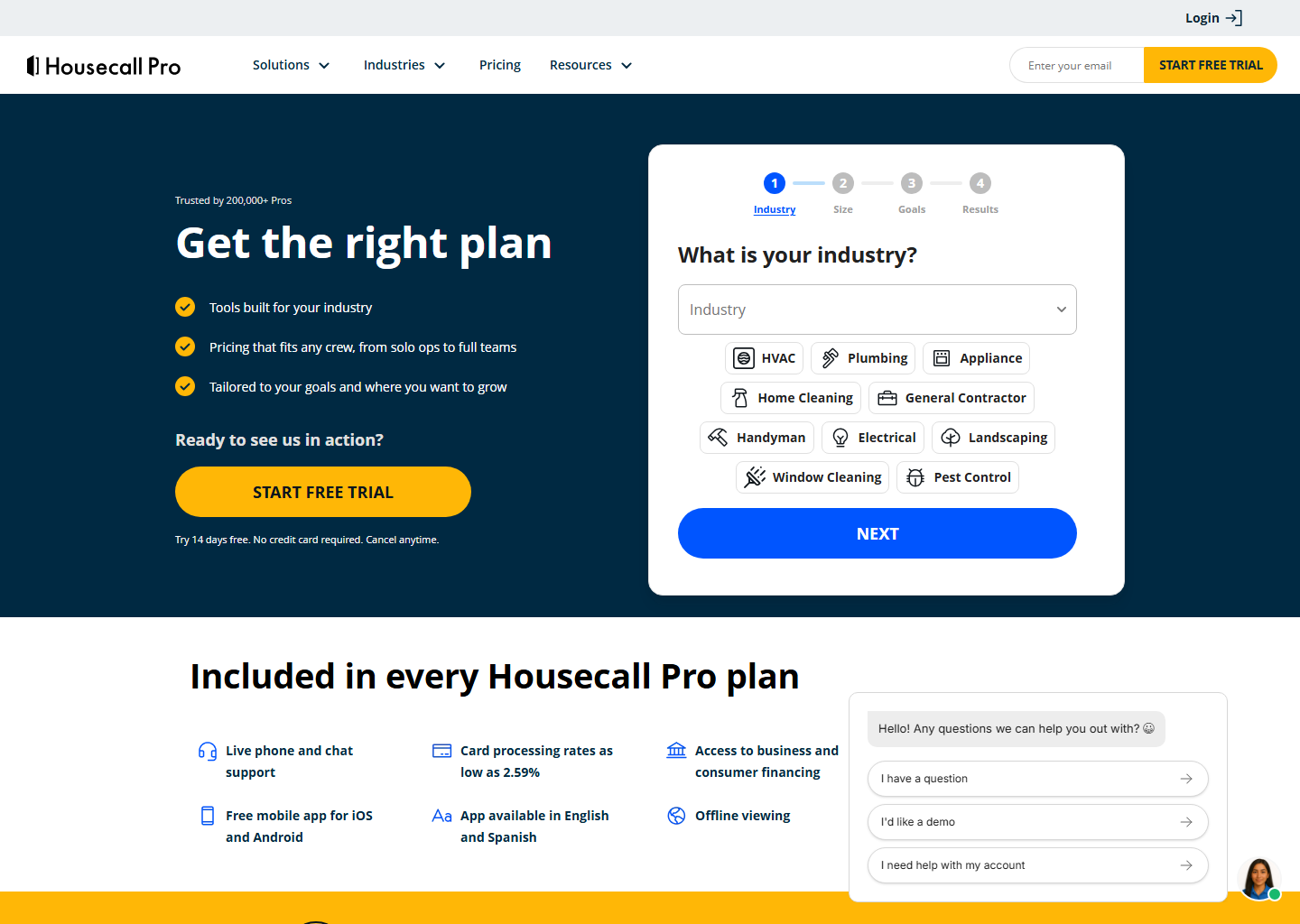
This is where most comparisons stop, and it’s where they go wrong. Jobber’s entry point really is half the price, $29 against $59, billed annually, at one user. But the two price seats in opposite directions: Housecall Pro bundles them into the tier, Jobber sells them at $29/mo each. Line the plans up by headcount and the famous 2× gap disappears:
| Team size | Housecall Pro | Jobber |
|---|---|---|
| 1 user | Basic: $59/mo | Core: $29/mo |
| 5 users | Essentials: $149/mo | Connect: $149/mo |
| 10 users | MAX: $299/mo (8 users) | Grow: $299/mo · Connect: $229/mo |
Those aren’t feature-for-feature equivalents, just the tiers where the seats line up, but the shape is real. Solo, Jobber is half the money. At five people they’re identical. Past eight users Jobber pulls ahead again, and not narrowly: its marginal seat is $29 against $75.
One more tier fact worth having before a demo: Housecall Pro puts flat-rate pricing and the QuickBooks sync on Essentials, and recurring service plans on MAX only. If maintenance agreements are your model, your real Housecall Pro price is $299/mo. Full breakdown in our Housecall Pro pricing guide.
What Housecall Pro bundles into every tier regardless: live phone and chat support, a free app in English and Spanish, offline mode, AI features, and card processing “as low as 2.59%.”
Where each one shines
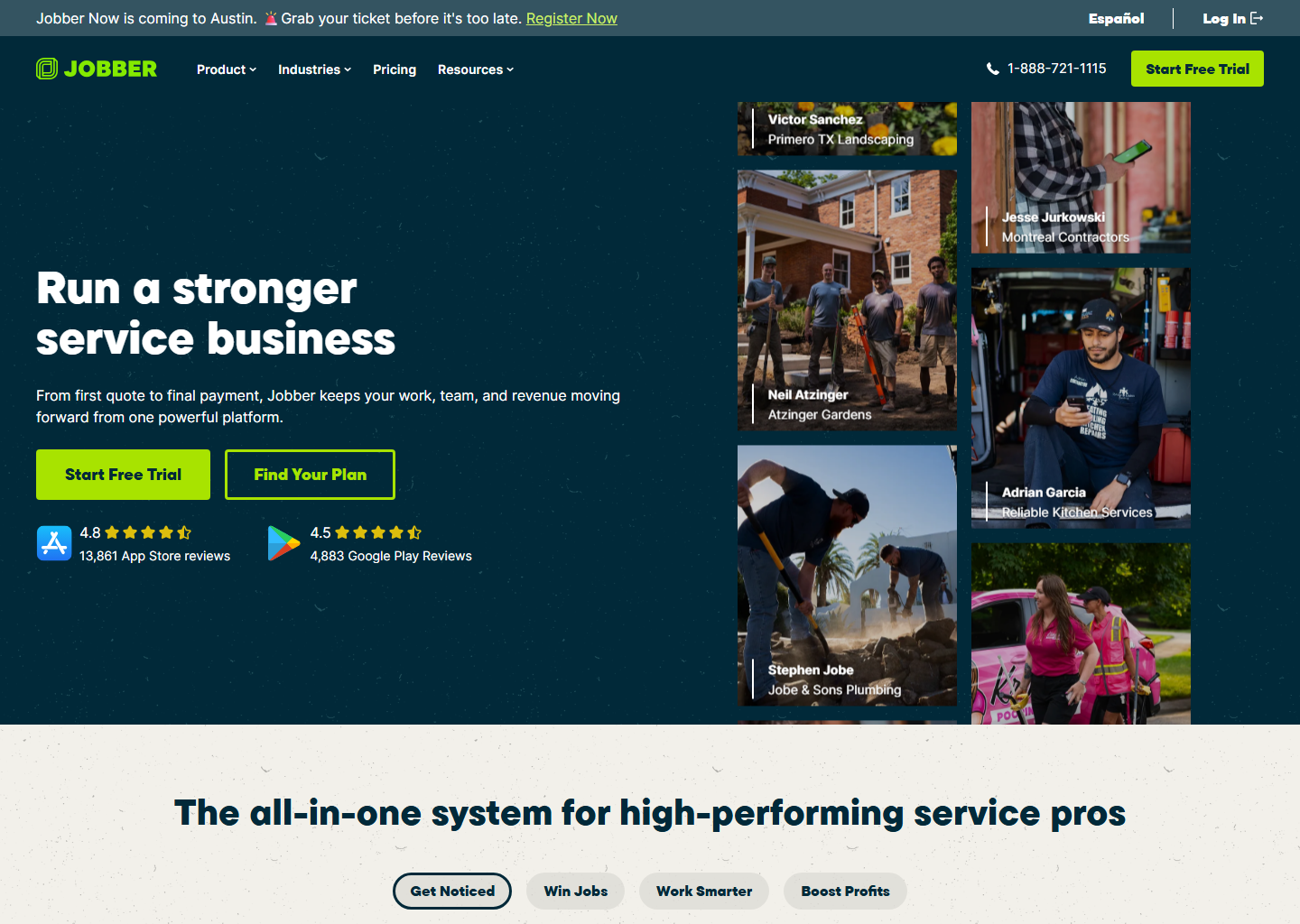
Quoting goes to Jobber, and if you bid a lot this is where you’ll feel the difference. Jobber’s quotes are clean, customers can approve optional add-ons with a tap, and the automatic follow-ups quietly chase the jobs you’d otherwise forget. That’s real money.
Marketing and reviews go the other way. This is Housecall Pro’s home turf: automated review requests, campaigns, online booking, the stuff that turns one job into three. If your growth plan is “get more 5-star reviews and repeat customers,” it’s hard to beat.
Payments and financing land closer to a tie than you’ve been told. Both invoice from the field and take cards. On consumer financing, the two run on the same lender, Wisetack, so the $9k job the customer wants to pay off over time is equally closeable on either. Housecall Pro is the one that publishes the terms: $500 to $65,000, up to 120 months, 0–35.9% APR, flat 3.9% merchant fee, and financing included on every plan. Where they genuinely differ is card processing, and not in the way a table can show. Housecall Pro indexes the fee on how the card is taken and publishes every rate: 2.59% swiped or tapped, 2.99% paid online by the customer, 3.49% keyed, saved or on Amex. Jobber indexes it on which plan you’re on, and says the rate you pay is shown inside your account; the only figure it publishes to everyone is Tap to Pay at 2.7% plus 30 cents, with 0.2% off if you use the card reader. So on card-present work the published numbers favour Housecall Pro — 2.59% against 2.7% plus 30 cents is $4.66 versus $5.16 on a $180 call — and on everything else you can’t compare until you’re inside a Jobber account.
Scheduling and dispatch is basically a tie. Drag-and-drop calendar, map view, live updates to the crew’s phones. Both nail it, so don’t pick based on this.
On AI, both showed up. Jobber AI helps price jobs and draft quotes and messages. Housecall Pro’s version, including an always-on answering assistant trained on 100M+ jobs, is aimed at never missing a lead. Useful on both sides, but neither should decide this for you yet.
The honest pros and cons
Jobber: what I like
- Prices are right there, no games
- Best-in-class quoting & follow-ups
- App people actually love (4.8★)
- Grows with you to ~15 users
Jobber: what to watch
- Marketing tools are lighter than HCP's
- The good stuff lives on higher tiers
- Per-seat costs add up as you hire
Housecall Pro: what I like
- Marketing & reviews on autopilot
- Financing terms published up front
- Bilingual app (English & Spanish)
- Huge, genuinely active community
Housecall Pro: what to watch
- Entry price is ~2x Jobber's ($59 vs $29 annual)
- Final plan still tailored via quiz, so confirm your number
- More features can mean a bumpier start
So which one should you actually pick?
- You want the lowest entry price and a great everyday tool: Jobber. Easy.
- You quote and bid constantly: Jobber.
- You sell big-ticket jobs and want financing to close them: either one. Same lender, so decide on something else.
- Your growth plan runs on reviews and repeat customers: Housecall Pro.
- You’re bilingual or your crew is: Housecall Pro’s EN/ES app is a nice edge.
Still torn? That usually means either one would serve you fine, so let the entry price be the tiebreaker and start with Jobber’s free trial.
Go deeper on either one
- Jobber: the full Jobber review, the plan-by-plan pricing, and what to use instead if it isn’t the fit.
- Housecall Pro: the full Housecall Pro review, its real pricing, and the alternatives.
- Neither? ServiceTitan is the step up for large operations, and ZenMaid is the specialist if you run a cleaning company.
Quick questions people always ask
Which is cheaper? Jobber starts at $49/mo (or $29/mo paid annually); Housecall Pro starts at $59/mo billed annually (~$79 monthly). At one user Jobber is half the money. At five they match at $149/mo. At ten they match again: Jobber Grow’s 10-seat bundle is $299/mo and Housecall Pro MAX is $299/mo for eight. The only way Jobber undercuts at that size is Connect at $229, giving up the quoting features that made you want Grow. Compare at your headcount, not at the entry price. Both give you 14 days free, no card.
Can I switch later if I pick wrong? You can, but moving your customers and job history is a pain. Do yourself a favor: run two or three real jobs through each free trial before you commit.
Will it work for my trade? Yep. Plumbing, HVAC, electrical, cleaning, landscaping, pest control, handyman, you name it. Between them they cover 50+ industries. We’ve broken the pick down by trade: plumbers, HVAC, electricians, cleaning, landscaping, pest control, handyman and pressure washing.
Bottom line
Both are top-tier in 2026 and you’d be fine with either. If I had to hand you one answer: most growing service businesses should start with Jobber for the lower price and the quoting, and reach for Housecall Pro when marketing, reviews and financing are what actually grow the business. Either way, both trials run 14 days with no card, so push two or three real jobs through each before you sign anything.
Pricing verified on both vendors’ own sites on 29 July 2026. Some links are affiliate links — see our affiliate disclosure. Screenshots are from the vendors’ official sites and belong to their respective owners.