Housecall Pro vs ServiceTitan (2026): Which Should You Choose?
Eight trucks, a book of maintenance contracts, and someone in your inbox telling you you’ve outgrown Housecall Pro. Maybe you have. But the usual framing of this matchup, small-to-mid team on one side and enterprise on the other, only holds up while you’re comparing against Housecall Pro’s $59 entry plan. At the top of the range it stops holding, and that’s the comparison worth having: Housecall Pro MAX genuinely overlaps with what people buy ServiceTitan for. Maintenance agreements, equipment records, both covered. One costs a published $299/mo and the other won’t tell you.
Housecall Pro handles the operations; ServiceTitan handles the accounting. At MAX ($299/mo, 8 users included) Housecall Pro gives you maintenance agreements customers renew themselves, per-unit equipment records and route optimisation. ServiceTitan adds what a finance function needs: deferred revenue on memberships, AIA-standard progress billing, real-time job costing, warranty tracked on two clocks. If your bottleneck is the field, stay with Housecall Pro. If it's month-end, that's ServiceTitan.
The 30-second version
Housecall Pro is your pick if…
You're small or growing, live on mobile, want marketing and reviews handled for you, and like offering financing on bigger jobs.
ServiceTitan is your pick if…
You run a larger commercial or residential operation with multiple crews and need enterprise reporting, job costing, and 70+ integrations.
Pricing: sticker prices vs. “let’s talk”
Housecall Pro now shows real numbers: Basic $59/mo, Essentials $149/mo, MAX $299/mo (billed annually; monthly billing runs $20–40 more). Its page still runs a short quiz (industry, team size, goals) that tailors the final plan. Every plan includes live phone/chat support, a free app (English and Spanish), offline mode, AI features, consumer financing, and card processing “as low as 2.59%,” with a 14-day free trial and no card.
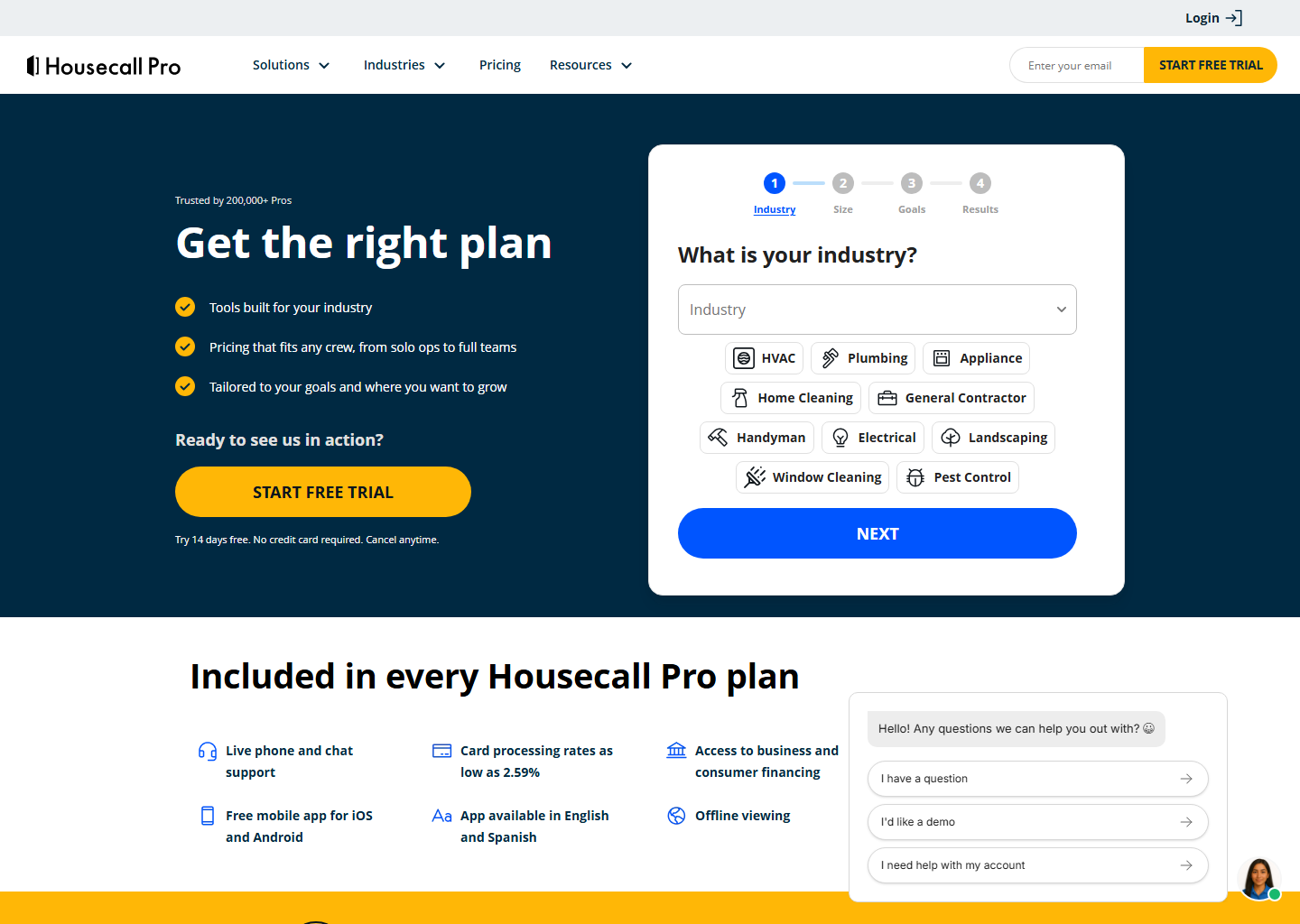
Note the seat counts, because they change the comparison: Basic includes 1 user, Essentials 5, MAX 8, with extra seats at $100/mo each on Essentials and $75/mo on MAX. An eight-person shop on MAX pays $299/mo all in, a very different proposition from $299 per seat.
ServiceTitan, by contrast, publishes no prices at all: quote-only, per technician, across Starter, Essentials and The Works, with a monthly minimum and no free trial. We won’t print a range: the third-party estimates in circulation disagree with each other by thousands of dollars a month, and repeating them would be inventing a number with extra steps. See our ServiceTitan pricing breakdown.
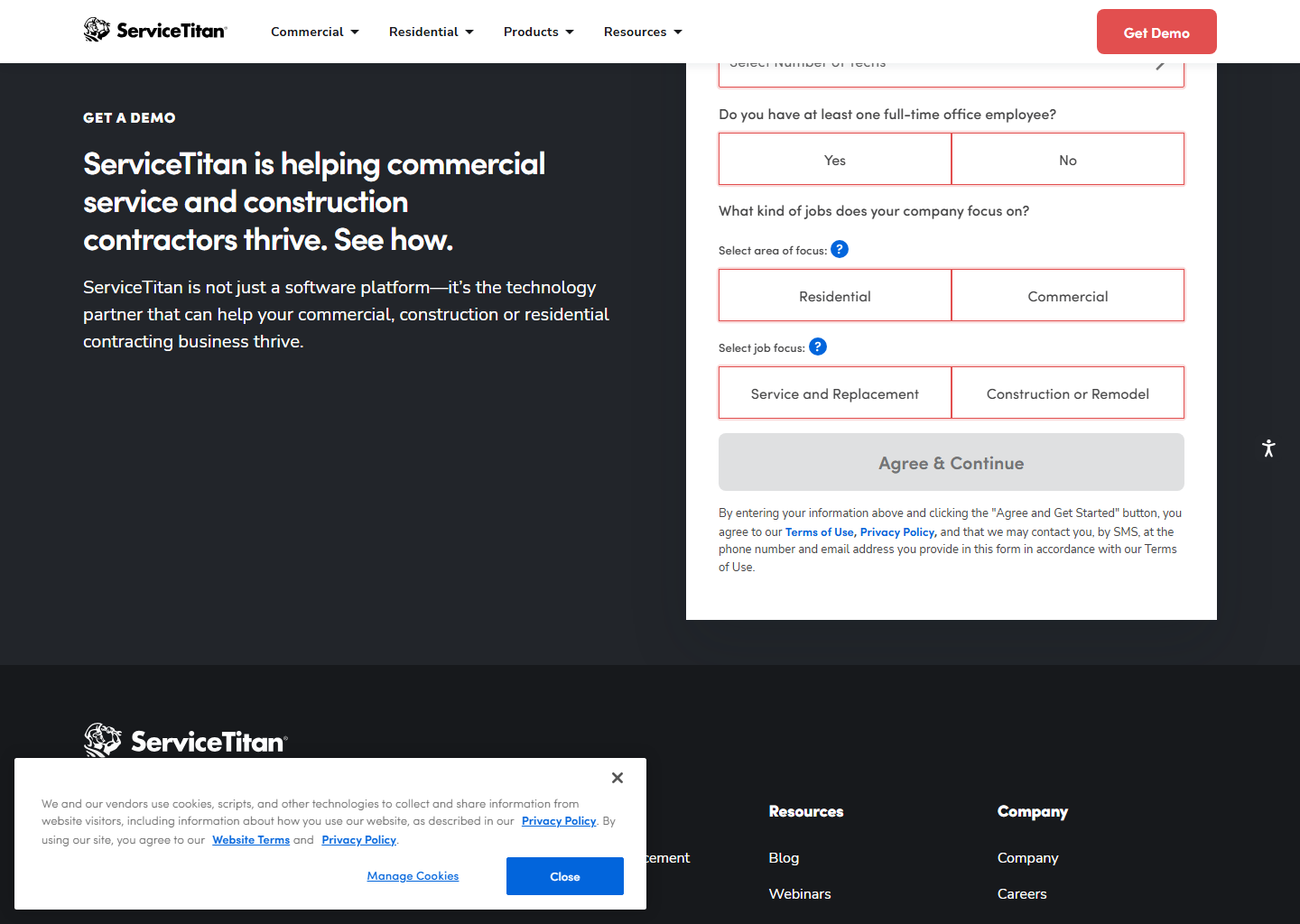
For a small or mid-size team, Housecall Pro is the more accessible option, and you can see what it costs before you talk to anyone. ServiceTitan’s price only pays off once the capabilities below are earning it back.
The overlap is bigger than you’d think
If you’ve been told ServiceTitan is the only serious option for a maintenance business, that hasn’t been true for a while.
Start with the agreements themselves. Housecall Pro’s Recurring Service Plans let you build residential or commercial agreements with services, pricing, visit frequency and perks, bill them monthly, quarterly or annually, and auto-generate the visits. The customer can then view, renew or upgrade online, which makes it a product they own rather than a reminder you have to chase. It’s on the MAX tier.
Equipment is the other half. Housecall Pro’s Property Profile stores item type, a display name like “downstairs A/C”, make, model, serial number, install date and notes, added by the technician from the phone on the job and attachable to a service plan.
For a residential HVAC or plumbing business running memberships on eight trucks, that combination covers most of what ServiceTitan gets bought for, at a price you can read on a web page.
Where the line actually falls
Four things ServiceTitan does that Housecall Pro doesn’t attempt at any tier:
- Deferred revenue on memberships. A year of maintenance paid in January is recognised as it’s earned rather than all at once. Housecall Pro bills the plan; it doesn’t do the revenue recognition.
- AIA-standard progress billing. Application for Payment and Continuation Sheet modelled on G702 and G703, with retainage set project-wide or by line item. Housecall Pro’s progress invoicing works by percentage or fixed amount, which is fine residentially but not what a commercial general contractor’s accounts department expects.
- Two warranty clocks. ServiceTitan tracks the manufacturer’s warranty and your labour warranty as separate fields on the equipment record. Housecall Pro stores the install date and leaves the rest to you.
- Real-time job costing by job, technician and phase, the feature large shops actually switch for.
What those four have in common is that none of them is about the field: they’re all about what happens after the job, in the office, at month-end.
What each one is good at
- Marketing & reviews: Housecall Pro, hands down. Automated review requests, campaigns, online booking, the growth engine small teams don’t want to build themselves.
- Reporting & scale: ServiceTitan goes deep here, with real-time job costing and dashboards built for multi-crew commercial work.
- Ease of use: Housecall Pro is quicker for a small team to adopt. ServiceTitan is more powerful and, predictably, heavier to learn.
- Integrations: ServiceTitan brings 70+; Housecall Pro covers the basics, though the QuickBooks sync starts on the Essentials plan, not Basic.
- Mobile: Both are solid; HCP’s bilingual (EN/ES) app is a genuine plus for a lot of crews.
The honest pros and cons
Housecall Pro: what I like
- Marketing & reviews on autopilot
- Per-unit equipment records with serial numbers
- Service plans customers renew themselves (MAX)
- Bilingual app (English & Spanish)
- Published prices and a 14-day trial
Housecall Pro: what to watch
- Service plans are MAX only ($299/mo)
- No deferred revenue or AIA progress billing
- Lighter reporting; fewer deep integrations
ServiceTitan: what I like
- Enterprise reporting & job costing
- 70+ integrations
- Built for multi-crew commercial work
- Deep automation at scale
ServiceTitan: what to watch
- Quote-only pricing and no free trial
- Overkill below a few crews
- An implementation, not an install
So which should you pick?
- Small or growing, mobile-first, marketing matters: Housecall Pro.
- Residential memberships on up to eight trucks: Housecall Pro MAX. You’d use a fraction of ServiceTitan and pay for all of it.
- Commercial contracts with progress billing and retainage: ServiceTitan. Nothing else here produces a G702.
- Your accountant is asking about deferred revenue: ServiceTitan.
- You need real-time job costing to change decisions: ServiceTitan.
- You want to know the price before a sales call: Housecall Pro, and it isn’t close.
Quick questions people always ask
Which is better for a small business? Housecall Pro. It’s more affordable, faster to adopt, and packed with marketing tools small teams actually use. ServiceTitan is built for larger operations.
How much do they cost? Housecall Pro shows sticker prices ($59–$299/mo billed annually, tailored via a short quiz). ServiceTitan is quote-only, per technician, and sold through a demo. Expect it to cost considerably more.
Which is easier to learn? Housecall Pro, for most small teams. ServiceTitan’s power comes with a steeper curve, so treat it as an implementation project rather than a signup.
Can Housecall Pro handle maintenance agreements properly? Yes, on the MAX tier: tiered plans, monthly/quarterly/annual billing, auto-generated visits, and a portal where the customer renews or upgrades. What it doesn’t do is recognise the revenue as it’s earned, which is where ServiceTitan takes over.
Does Housecall Pro track equipment like ServiceTitan? Partly. Property Profiles hold item type, make, model, serial number and install date, added from the technician’s phone. ServiceTitan adds full service history plus manufacturer and labour warranties as separate fields.
Bottom line
For most small and mid-size home service businesses in 2026, Housecall Pro is the practical, affordable choice, especially if marketing and mobile matter to you. ServiceTitan earns its price in larger commercial and residential operations, where the reporting and the month-end accounting are doing real work. If you’re not sure which side of that line you’re on, the trial settles it cheaply: Housecall Pro gives you 14 days without asking for a card, while ServiceTitan starts with a demo.
Comparing all three at once? We put them side by side in Jobber vs Housecall Pro vs ServiceTitan, priced by team size, the ranking changes as you hire. For the other pairings, see Housecall Pro vs Jobber and Jobber vs ServiceTitan, or our best field service management software guide.
Pricing and features verified on both vendors’ own sites on 29 July 2026. Some links are affiliate links. See our affiliate disclosure. Screenshots are from the vendors’ official websites and belong to their respective owners.