Housecall Pro Review (2026): Pricing, Features, Pros & Cons
You quote the job in the driveway, take the card on your phone, and the review request goes out before you’ve left the street. That loop is what Housecall Pro sells, and it’s why the app has such a big, loyal following among mobile-first trades. After years of hiding its own price behind a quote quiz, it now shows real numbers: from $59/mo billed annually.
Housecall Pro is a top pick for small-to-mid teams that grow through marketing and repeat customers. It starts at $59/mo billed annually, which is double Jobber's entry price, but it bundles users into each tier rather than selling them one by one, so the gap closes to nothing at five people. The feature you're buying it for decides your tier, and two of the big ones sit a long way up.
What is Housecall Pro?
It’s an all-in-one platform for the trades: scheduling, dispatching, estimates, invoicing and payments, plus a marketing and reviews toolkit that’s genuinely its strong suit. 200,000+ pros use it, the app is bilingual (English and Spanish), and the whole thing is built to turn one job into repeat business.
Housecall Pro pricing
Housecall Pro publishes sticker prices. It also publishes seat counts next to them, which is the part almost nobody quotes:
| Plan | Billed monthly | Billed annually | Users included |
|---|---|---|---|
| Basic | $79/mo | $59/mo | 1 |
| Essentials | $189/mo | $149/mo | 5 |
| MAX | $329/mo | $299/mo | 8 |
The pricing page opens on a four-step quiz (industry, team size, goals) with the plan table sitting below it. If you land there and see no prices, they haven’t been withdrawn; scroll.
The seat counts matter more than the sticker price. Jobber includes one user on every plan and charges $29/mo for the rest. Housecall Pro bundles them in. So the “twice the price” line everyone repeats is true at one user ($59 vs $29) and false by five, where both platforms land on exactly $149/mo. Compare at your real headcount.
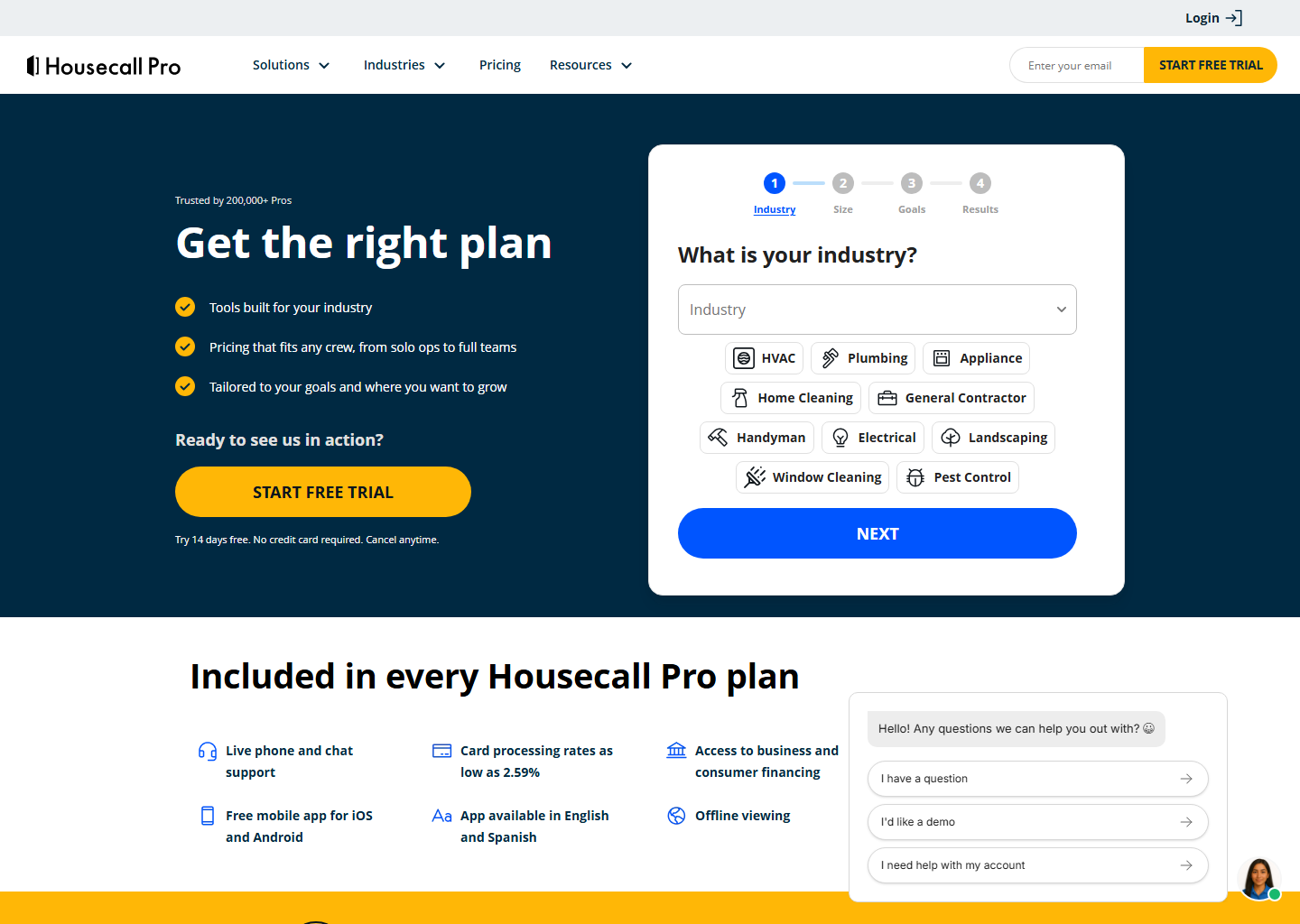
To be fair, every plan bundles in a lot: live phone/chat support, a free app (English & Spanish), offline mode, AI features, access to business and consumer financing, and card processing “as low as 2.59%.” There’s a 14-day free trial on top, and it doesn’t ask for a card. If “just show me the number” is your style, though, know that going in. Full tier-by-tier breakdown in our Housecall Pro pricing guide.
The catches behind the $59
“As low as 2.59%” is doing some work in that sentence. The published range runs 2.59% to 3.49% depending on the payment method, with 1% for ACH. The rate you actually pay depends on how your customers pay you, not on the plan you’re on, and keyed-in or card-not-present transactions sit at the top of the range.
The bigger one: the QuickBooks Online sync is not available on Basic. It requires Essentials or MAX. The sync is one-way (Housecall Pro → QuickBooks) and fires when a job is marked Finished, Sent or Paid. If your books live in QuickBooks, your real entry price is $149/mo, not $59. That’s a 2.5x difference from the number on the ad.
And the third catch, which is the expensive one: recurring service plans are MAX only. The maintenance agreement that bills itself, generates the visits and lets the customer renew online is the single best reason an HVAC, plumbing or pest control business chooses Housecall Pro, and it’s listed on the $299/mo tier. If agreements are your model, that’s your price, and it’s five times the number on the ad.
Flat-rate pricing, employee GPS, routes, checklist automations, photo reports and commissions all arrive on Essentials. MAX adds route optimisation, open API access, dedicated onboarding, and the sales proposal tool that costs $40/mo on the tiers below.
One thing we still can’t confirm officially: the marketing campaigns and Review Booster appear to require Essentials or above, but that’s from third-party sources rather than Housecall Pro’s own plan table. Treat it as likely rather than certain and get it in writing before you pay for a year.
What you’re actually buying
- Marketing and reviews, the standout: automated review requests, campaigns, and online booking that plugs into your website, Google Business Profile, Facebook Marketplace and Nextdoor.
- Pipeline and tags. A Leads → Estimates → Jobs board that messages new leads automatically, plus fully custom tags you can fire campaigns off (“if tagged with X, send Y”). This is the piece Jobber’s CRM doesn’t match (detail in our CRM comparison).
- Property Profiles. A real equipment record per unit: item type, a display name like “downstairs A/C”, make, model, serial number, install date and notes, added by the technician from the phone on the job, and attachable to a service plan. Jobber keeps appliance model and serial numbers too, but in the job details and on the client record rather than as a dedicated equipment object you can hang a service plan on. For equipment-heavy trades that difference is the quiet reason they pick Housecall Pro. See best software for HVAC businesses.
- Consumer financing: $500 to $65,000, terms to 120 months, 0–35.9% APR, flat 3.9% merchant fee, included on every plan. Useful, but not a reason to pick Housecall Pro over Jobber, because both run on the same lender, Wisetack, despite what most comparisons still say.
- Scheduling and dispatch. Drag-and-drop calendar, map view, live GPS, “on my way” texts, and recurring service plan automation that auto-rebooks your high-value customers. See best scheduling software.
- Invoicing and payments. Quick invoices and 24/7 online payment, plus progress invoicing (by percentage or fixed amount) and batch invoicing across several customers at once. One gotcha: Auto Invoicing doesn’t cover progress invoices, so those you still send by hand.
- HCP AI, including an always-on answering assistant trained on 100M+ jobs. If that’s what you’re shopping for, read AI answering services for contractors.
- A bilingual app, English and Spanish.
Pros and cons
What I like
- Marketing & reviews on autopilot
- Per-unit equipment records with serial numbers
- Seats bundled in (1 / 5 / 8) rather than sold separately
- Bilingual app (English & Spanish)
- Large, active pro community
What to watch
- Entry price ~2x Jobber's at one user ($59 vs $29 annual)
- Recurring service plans are MAX only ($299/mo)
- QuickBooks sync needs Essentials ($149), not on Basic
- Card processing runs 2.59%–3.49% by method, not a flat 2.59%
- Final plan tailored via quiz, so confirm your number
- Lighter enterprise reporting than ServiceTitan
Who is Housecall Pro for?
Small-to-mid, mobile-first teams that want marketing built in, need to know what equipment is installed at a property, and sell maintenance agreements. (Financing is on every plan, but it runs on the same lender as Jobber’s, so it isn’t a reason to choose either.) If the lowest entry price is what you care about most, Jobber starts cheaper, and that’s the whole argument in Housecall Pro vs Jobber. If you’re on Housecall Pro and looking to leave, we mapped the exits in Housecall Pro alternatives.
Quick questions people always ask
How much does Housecall Pro cost? Basic $59/mo, Essentials $149/mo, MAX $299/mo, all billed annually. Monthly billing runs $20–40 more. Additional users are $100/mo each on Essentials and $75/mo on MAX.
Is the Basic plan enough? For a solo operator invoicing from the field, yes. Not if you need the QuickBooks sync or flat-rate pricing (Essentials), and definitely not if you sell maintenance agreements (MAX).
Which plan has service plans? MAX, at $299/mo billed annually. Recurring Service Plans aren’t on Basic or Essentials, so an agreement-based business should price Housecall Pro at $299 from the start rather than at $59.
What does Housecall Pro charge for payments? 2.59% to 3.49% per card transaction depending on the method, and 1% for ACH bank payments.
Does it work in Spanish? Yes. The mobile app ships in English and Spanish, on every plan. Among the major platforms it’s the one that takes bilingual crews seriously.
Is there a free trial? 14 days, no credit card. Use it on real jobs, and confirm in writing which tier includes the features you’re buying it for.
Bottom line
Housecall Pro earns its price for marketing-driven service businesses, as long as you price it at the tier you’ll actually be on: $59/mo billed annually for a solo operator, $149 if your books live in QuickBooks, $299 if you sell maintenance agreements.
See how it stacks up: Housecall Pro vs Jobber · Housecall Pro vs ServiceTitan.
Pricing verified on housecallpro.com on 29 July 2026. Some links are affiliate links — see our affiliate disclosure. Screenshots belong to their respective owners.