Jobber vs ServiceTitan (2026): Which One Fits Your Business?
Two jobs on the same truck. One is a homeowner’s water heater: fix it, invoice it, paid by Friday. The other is a strip-mall retrofit where the general contractor’s accounts department won’t release a cent until it gets an application for payment in the format it expects, with retainage held.
That second job, not headcount, is what separates Jobber from ServiceTitan. Most comparisons tell you to pick on size: under fifteen people, Jobber; above it, ServiceTitan. That’s a decent rule of thumb and a bad rule. Size is a proxy for the thing that actually decides it, which is whether your back office has to produce something a field app can’t: progress billing against a schedule of values, membership revenue recognised as it’s earned, warranty exposure tracked per unit. We checked pricing on both vendors’ own pages and compared them on those terms.
Jobber is the right call for the vast majority of small and growing service businesses: clear pricing, quick to set up, everything a 1–15 person team needs. ServiceTitan is enterprise software for larger commercial and residential operations that need deep reporting and can afford it. If you're unsure, you're probably a Jobber business.
The 30-second version
Jobber is your pick if…
You're solo or growing (up to ~15 users), you want to see prices before a sales call, and you value simplicity over enterprise depth.
ServiceTitan is your pick if…
You run a larger commercial or residential operation with multiple crews and need serious reporting, job costing, and 70+ integrations.
Pricing: transparent vs. “let’s talk”
This is the clearest line between them, and honestly it’s most of the decision.
Jobber just posts its prices:
| Plan | Billed monthly | Billed annually | Users included |
|---|---|---|---|
| Core | $49/mo | $29/mo | 1 |
| Connect | $139/mo | $99/mo | 1 · 5 users $149/mo · 10 users $229/mo · 15 users $299/mo (annual) |
| Grow | $199/mo | $149/mo | 1 · 5 users $229/mo · 10 users $299/mo · 15 users $399/mo (annual) |
| Plus | $499/mo | $399/mo | 5 · 10 users $449/mo · 15 users $529/mo (annual) · sales-led |
Extra users are $29/mo, with a 14-day free trial and no card. Two details the table doesn’t show: larger seat bundles appear when you change the team-size selector (Connect with 5 users at $149/mo, Grow with 10 at $229/mo), and each plan has a third price between the two columns — pay monthly but sign twelve months and Core is $39/mo, Connect $119, Grow $169. The crossed-out figure on the page is the no-commitment rate, not an expiring one.
ServiceTitan makes you ask. Pricing runs per technician across three tiers (Starter, Essentials, and The Works), but there are no public numbers: every tier says “Request Pricing” and routes you to a demo.
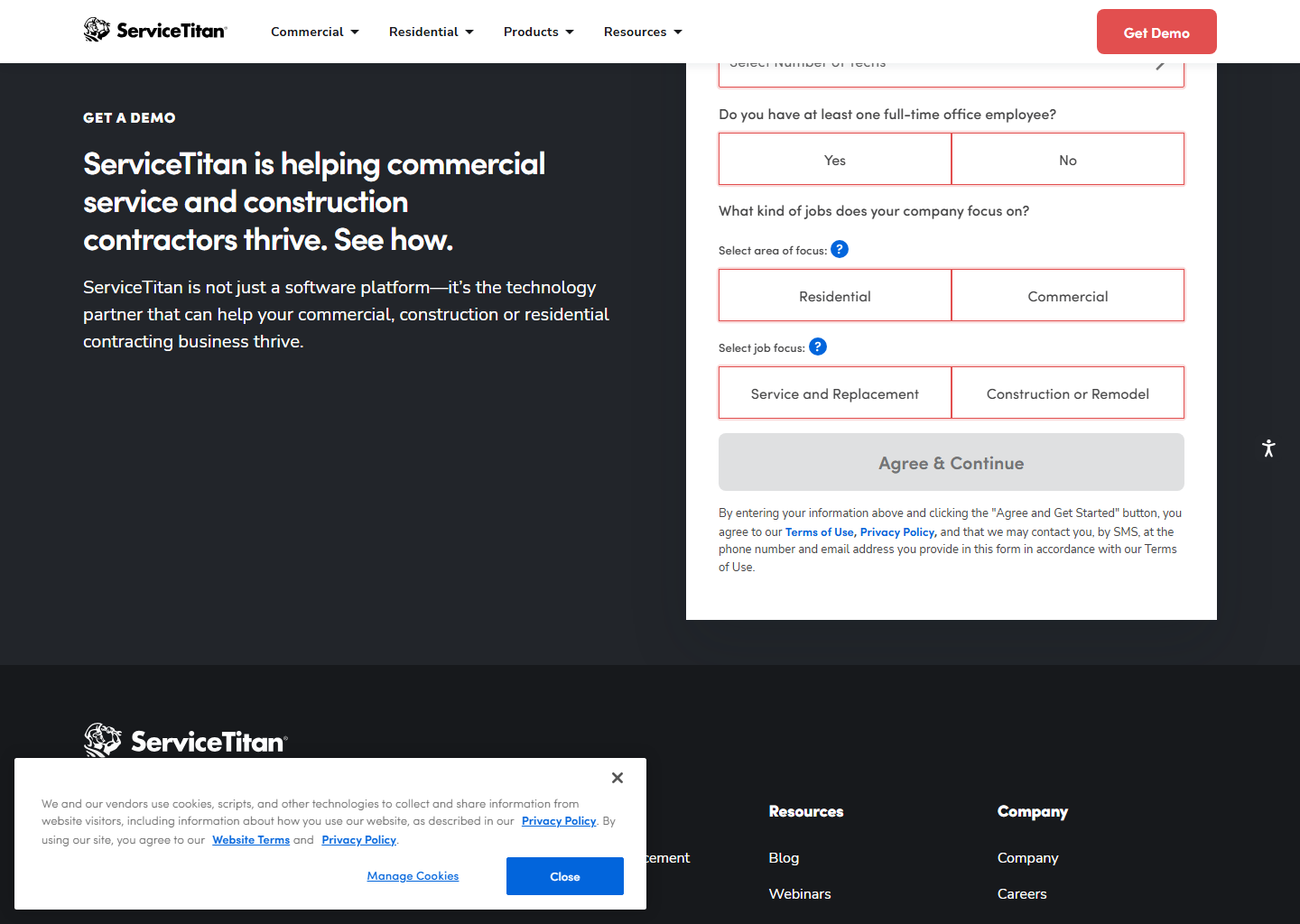
We won’t print a range for ServiceTitan. The third-party figures in circulation disagree with each other by thousands of dollars a month, and repeating them would be inventing a number with extra steps. What’s known: per technician, with a monthly minimum, and no free trial. It’s demo-led, which by itself tells you who it’s built for. Our ServiceTitan pricing breakdown covers what can and can’t be verified.
On price, then: if budget clarity matters, Jobber wins in a walk. ServiceTitan’s cost only makes sense once the features below are earning it back.
The three things ServiceTitan does that Jobber can’t
Forget the size question for a moment. These are the capabilities with no Jobber equivalent at any plan, and if none of them is a problem you have, the rest of this comparison is academic.
Progress billing a general contractor will accept. ServiceTitan’s Application for Payment and Continuation Sheet are modelled on the AIA G702 and G703 standards, with retainage set project-wide or per line item, tracking contract value, work completed, retainage held and balance. Jobber’s progress invoicing is a payment schedule with deposits and milestones. Fine for a residential install in three payments, not something a commercial GC’s accounts department will process.
Memberships as revenue. ServiceTitan attaches recurring services to the service location with a start date, recurrence and preferred technician, supports upfront or recurring payment, and handles deferred revenue, so a year of maintenance paid in January doesn’t all land in January’s profit. Jobber automates the visits and can charge a saved card. It doesn’t do the accounting.
Equipment and warranty records. ServiceTitan holds installed equipment by model and serial with full service history, and tracks the manufacturer warranty and your labour warranty separately. Jobber has no equipment object at all, just custom fields on a property. For HVAC and commercial refrigeration that gap is the one that eventually forces the move.
Who wins on what
- Ease of use: Jobber, easily. Plenty of businesses are quoting and invoicing the same day. ServiceTitan is an implementation, not an install. Budget real time for migration and training.
- Quoting: Jobber, for most shops. Its optional line items (a Grow feature at $149/mo) let a customer tap to add extras on the quote itself. ServiceTitan’s multi-option proposals are strong too, but you’ll pay a great deal more to get there.
- Reporting & job costing: ServiceTitan, no contest. Real-time costing, predictive insights, dashboards built for multi-crew operations.
- Integrations: ServiceTitan brings 70+. Jobber covers the essentials most small businesses actually use.
- Day-to-day for a small team: Jobber’s quoting and client workflow are more than enough, and you won’t feel like you’re flying a 747 to run a two-truck shop.
Pros and cons, in short
What I like about Jobber
- Transparent, affordable pricing
- Fast setup, easy to learn
- Top-rated app (4.8★)
- Perfect for solo → growing teams
What to watch with Jobber
- No equipment records, custom fields only
- No AIA-style progress billing or deferred revenue
- Reporting is lighter than ServiceTitan
- Three prices per plan; the cheapest ones sign you for a year
What I like about ServiceTitan
- Enterprise reporting & costing
- 70+ integrations
- Built for multi-crew, commercial work
- Deep automation at scale
What to watch with ServiceTitan
- Quote-only pricing and no free trial
- Overkill for small teams
- Heavier, longer onboarding
- Add-on products also unpriced
So which should you pick?
- Solo, small, or growing (up to ~15 users): Jobber. Better fit, fraction of the cost.
- Large residential or commercial operation, multiple crews: ServiceTitan.
- You want the price before you talk to sales: Jobber.
- You need heavy reporting and 70+ integrations: ServiceTitan.
If you’re on the fence about whether you need “enterprise,” you don’t yet. Most businesses grow comfortably on Jobber and only look at ServiceTitan once they’re juggling many techs and commercial contracts.
Quick questions people always ask
Is ServiceTitan worth it over Jobber? Only if you’re big enough to use its depth. For most small and mid-size teams, Jobber does the job for a fraction of the price, with the price actually shown.
How much is ServiceTitan? Quote-based, per technician, with a monthly minimum. Nothing is published, and we won’t repeat the third-party estimates because they contradict each other by thousands a month. Expect it to cost significantly more than Jobber.
Can Jobber do commercial progress billing? Not in the format a general contractor expects. Jobber does deposits and milestone payments; it doesn’t produce AIA G702/G703 applications for payment with retainage. If your customers ask for those documents by name, that’s your answer.
Does ServiceTitan have a free trial? No. It’s demo-led. Jobber gives you 14 days on its fully loaded Grow plan with no card.
Can Jobber handle a growing business? Yes, up to ~15 users comfortably, with plans that scale as you hire.
Bottom line
For most home service businesses in 2026, Jobber is the cheaper and more transparent choice. ServiceTitan earns its keep once you’re running larger commercial and residential work that needs enterprise reporting. Caught between them? That usually means you’re not big enough for ServiceTitan yet, so start Jobber’s 14-day trial and get on with your day.
Still comparing? Housecall Pro belongs in this decision too. Jobber vs Housecall Pro vs ServiceTitan prices all three by team size, and the cheapest one changes as you hire. Or read Housecall Pro vs Jobber and Housecall Pro vs ServiceTitan, or our best field service management software guide.
Pricing and features verified on both vendors’ own sites on 29 July 2026. Some links are affiliate links. See our affiliate disclosure. Screenshots are from the vendors’ official websites and belong to their respective owners.